

F01 — B2B one-page proposal
A salesperson describes in plain words what they understood about the client; Madoo returns an A4 proposal ready to send: copy written by the AI and checked against the page, a cover photograph painted for that client, the approved claims printed word for word with their source, and the price of the offer.
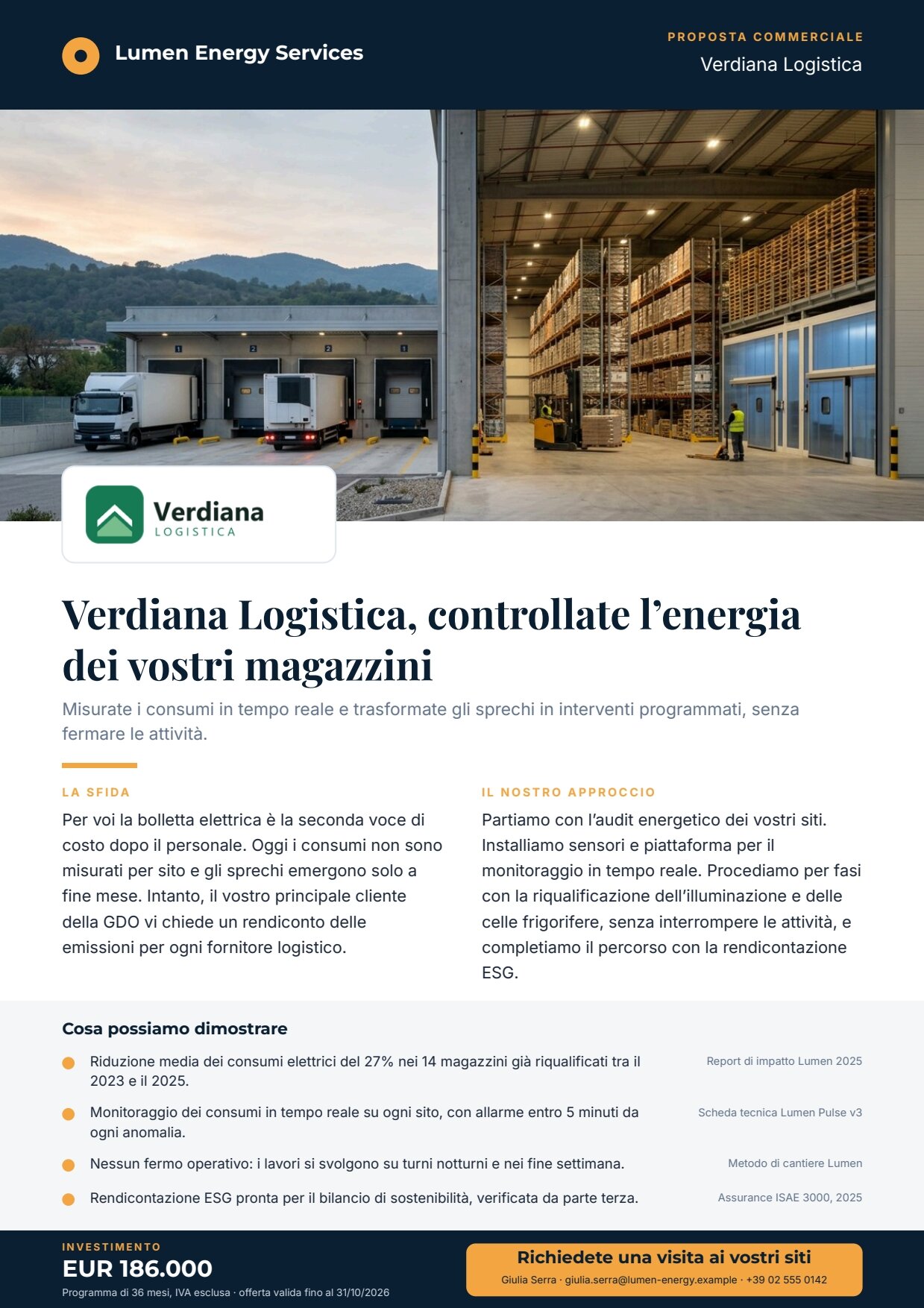
A reference run: 46 seconds, about 5 credits. The AI headline takes two lines and everything below moves down accordingly. PDF · the AI copy · layout report.
The case
Section titled “The case”Lumen Energy Services (fictional) proposes an energy-efficiency programme to Verdiana Logistica (fictional), nine warehouses with cold rooms. The inputs are the ones a salesperson really has:
| Input | Who provides it | Example |
|---|---|---|
| Opportunity brief | the salesperson, in their own words | the client’s situation, concerns, what we propose, tone |
| Approved claims | the legal and marketing library | four verified statements, each with its source |
| Client name and logo | the CRM | Verdiana Logistica, a PNG logo (optional) |
| Investment and note | the offer | 186000, 36-month programme, VAT excluded |
| Contact | the salesperson | name, email, phone |
What it shows
Section titled “What it shows”- The AI writes; it does not assert. The model writes the headline, subheadline, challenge, approach and call to action — never numbers, prices, dates or guarantees. The claims and the price never pass through the model: they go from the inputs to the template, so they cannot be rephrased, rounded or invented. See Templates in workflows.
- A schema binds the AI to the page. The model returns JSON; a JSON Schema node checks the fields and their maximum lengths — the space on the page (the headline at most 70 characters, one or two lines). If the copy does not fit, the run stops before the PDF is made.
- The cover is chosen by whoever read the brief. The image prompt is written by the same model, in English, under strict style rules (editorial photography, natural colours, no text, logos or recognisable faces).
- One template, many proposals. Typography, colours, positions, the price format, the behaviour without a logo and the limit on claims all live in the template; the workflow only fills fields.
The template
Section titled “The template”A4 portrait, one page; Montserrat for labels, Playfair Display for the headline, Inter for the text; night blue
#0b1f33 and amber #f2a541.
| Area | Content | How it is built |
|---|---|---|
| Top band | seller’s brand, COMMERCIAL PROPOSAL, client name | fixed texts and the field client_name |
| Cover | a 16:9 photograph, full width | image field hero_image, fill (Images) |
| Logo card | the client logo on a white card over the photo | image field client_logo, fit; card and logo show only when client_logo has a value |
| Promise | headline on one or two lines, subheadline, amber rule | fields headline, subheadline in the flowing Layout Body |
| Two columns | The challenge and Our approach | fields challenge, approach: a horizontal Layout of two vertical Layouts, inside Body |
| Claims | up to four rows with a dot, the text and its source | a Layout with a grey background layer holding the repeated list claims (item.text, item.source); rows grow to two lines; at most 4, beyond that the render stops |
| Bottom band | investment, note, call to action with the contact | number field investment (EUR, it-IT, no decimals); fields investment_note, cta, contact |
| Field | Type | Required | Comes from |
|---|---|---|---|
headline, subheadline, challenge, approach, cta |
text | yes | the AI’s JSON, validated (the data port) |
hero_image |
image | yes | the generated photograph (its own port) |
client_logo |
image | no | the Client logo input |
client_name, investment_note, contact |
text | yes | inputs of the same name |
investment |
number | yes | the Investment input |
claims |
list of { text, source } |
yes | the Approved claims input |
Design choices worth copying:
- Claims in a list, not in one text: each claim has its source aligned beside it. Four is an editorial ceiling; with
five the render stops with
DESIGN_REPEAT_LIMIT_EXCEEDEDinstead of printing a wrong page. - The price is a number, formatted by the template: nobody can pass “about 190 thousand”.
- The logo is optional and the page knows it: without it the card disappears (variant without logo).
- The middle of the page flows like a web page: headline, subheadline, rule and columns are one Layout that follows its content, with a line budget that keeps it above the claims panel.
- A complete sample set in the template: the editor shows a realistic page and publishing checks it renders.
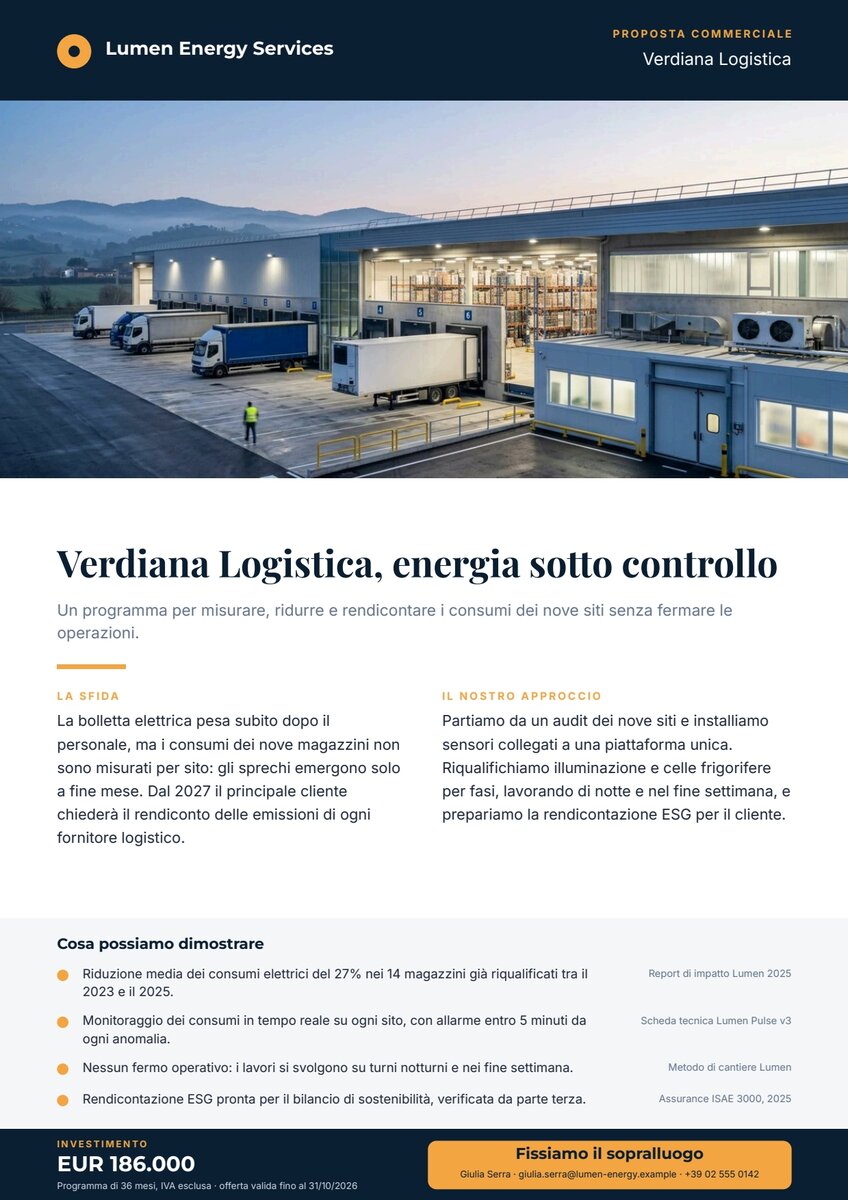
The workflow
Section titled “The workflow”Opportunity brief ──► Write the copy (AI, JSON) ──► Copy fits the page (JSON Schema) ──data──► Compose the proposal ──► PDF └─► Cover prompt ──► Paint the cover ──hero_image──► (Render ──► PreviewClient logo, Client name, Approved claims, Investment, Investment note, Contact ──field ports──► Document ──► Layout report Template)| Node | Type | Why |
|---|---|---|
| Opportunity brief | input/text, multi-line |
The salesperson writes as they speak; a default value lets you try the workflow with one click |
| Write the proposal copy | ai/text_generation, response_format: json_object, temperature 0.4 |
JSON on the json port, ready for the schema; the rules (language, register, no numbers, lengths) are in the system prompt |
| Copy fits the page | utility/json_schema_validate, inline schema, mode fail |
Exactly six fields, no others, with maximum lengths; a proposal whose text does not fit must not be produced |
| Cover prompt | utility/extract |
Takes the image prompt out of the JSON as text |
| Paint the cover | ai/text_to_image, 16_9 |
A wide photograph for the cover band, default model |
| Approved claims | input/json_value |
The list passes intact as one JSON value — not split into one run per claim |
| Investment | input/number |
A real number, formatted by the template |
| Compose the proposal | design/template_render, fixed revision, output both, missing_policy: fail_required |
Validated copy on data, everything else on the field ports, which win over data |
| Outputs | output/pdf, output/image ×2, output/json ×2 |
The PDF, the preview, the cover alone, the approved copy and the layout report |
Reading a run: Approved copy is what the AI wrote before layout; the Layout report shows status: passed, four list
rows, four images loaded, no warnings. If the schema fails, the run stops on Copy fits the page with every violation
(field, rule, value).
Cost: about 5 credits per run — the copy about 0.7, the cover 5; validation, extraction and composition are free.
Install it
Section titled “Install it”The example installs into your workspace with an API key, through the public API only — see Installing an example:
node madoo-install-example.mjs f01 --api <your Madoo API URL> --key <key.json>It uploads the client logo, publishes the template and the workflow. To run it, open the workflow and paste the approved
claims from run-inputs.json, or add --run (about 5 credits).
Change it
Section titled “Change it”- Another client: change the brief, the name, the logo and the investment; keep the claims of the library, or pick up to four others.
- Without a logo: leave Client logo empty.
- Another sector: the template is neutral; change the brief. For another seller identity, duplicate the template and change the brand and colours.
manifest · template · workflow · run inputs