

F02 — Hotel campaign brochure in two languages
The hotel’s marketing chooses whom to address and in which period; Madoo takes the hotel’s verified facts, its photos and the offer already prepared, and returns a four-page brochure in Italian and in English, ready for the printer (PDF/X-4) and for the web (one image per page), with the photograph of the facade brought into the campaign’s season.
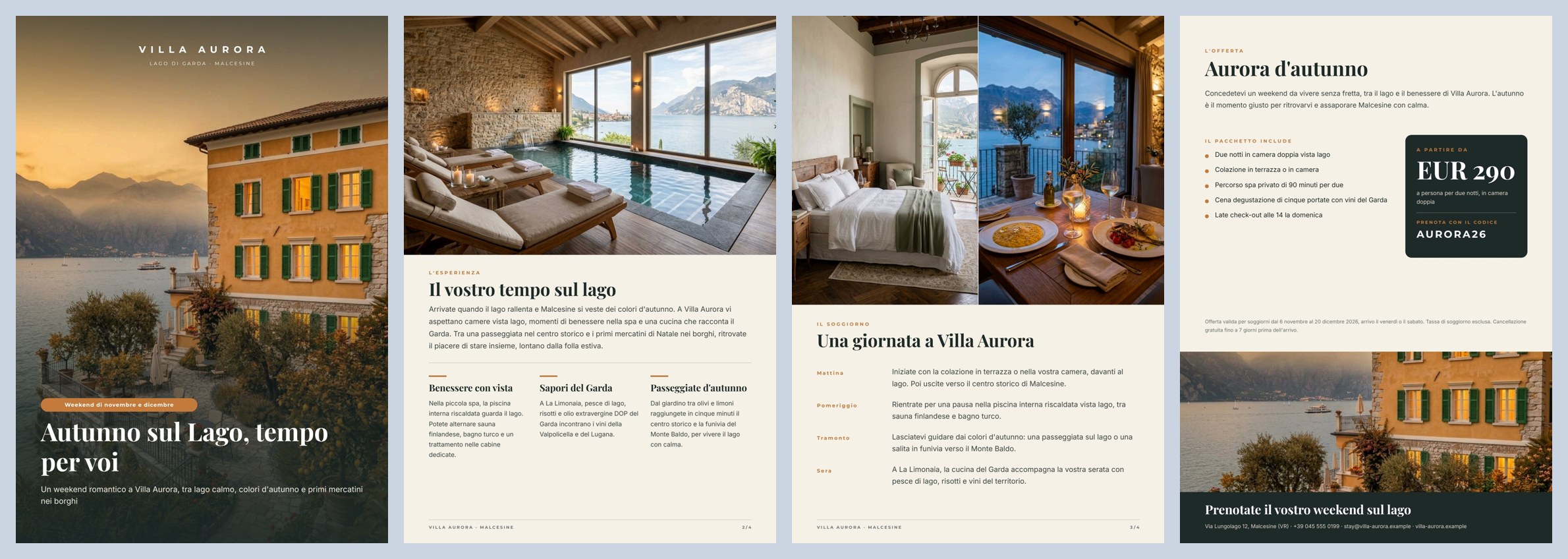
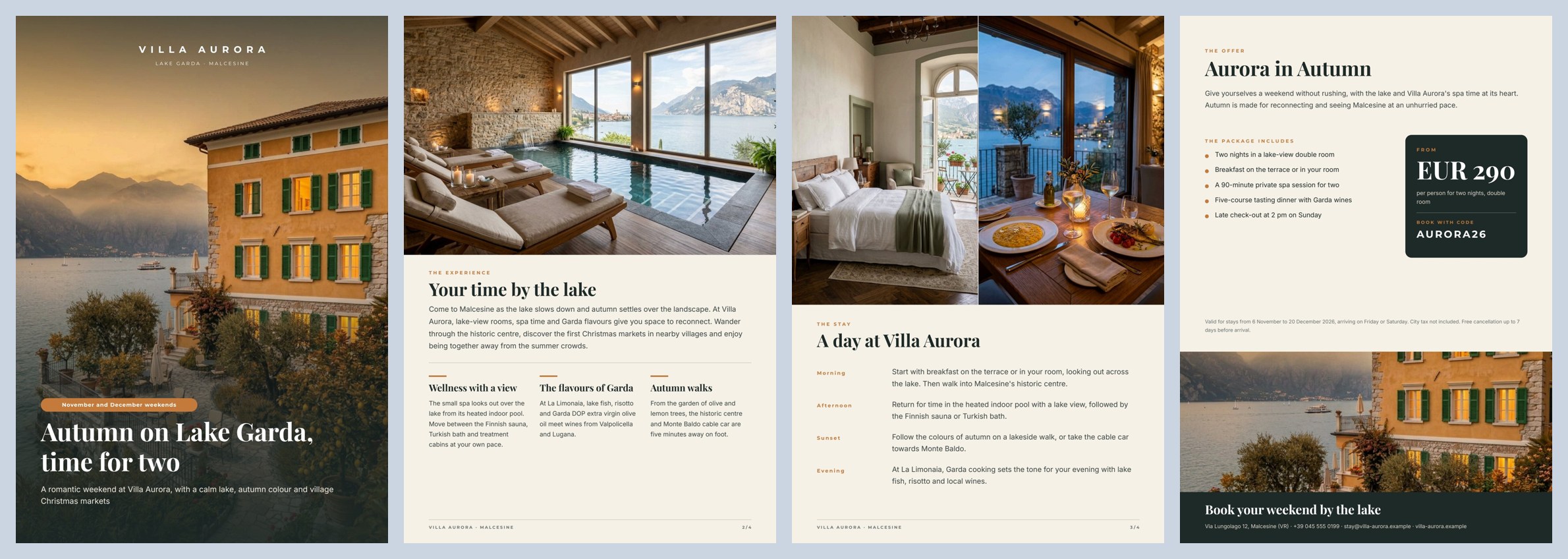
A reference run: 56 seconds, 5.1 credits. In both languages the AI cover title takes two lines and the block stays anchored at the bottom. Single pages: Italian 1 2 3 4 · English 1 2 3 4 · the AI copy.
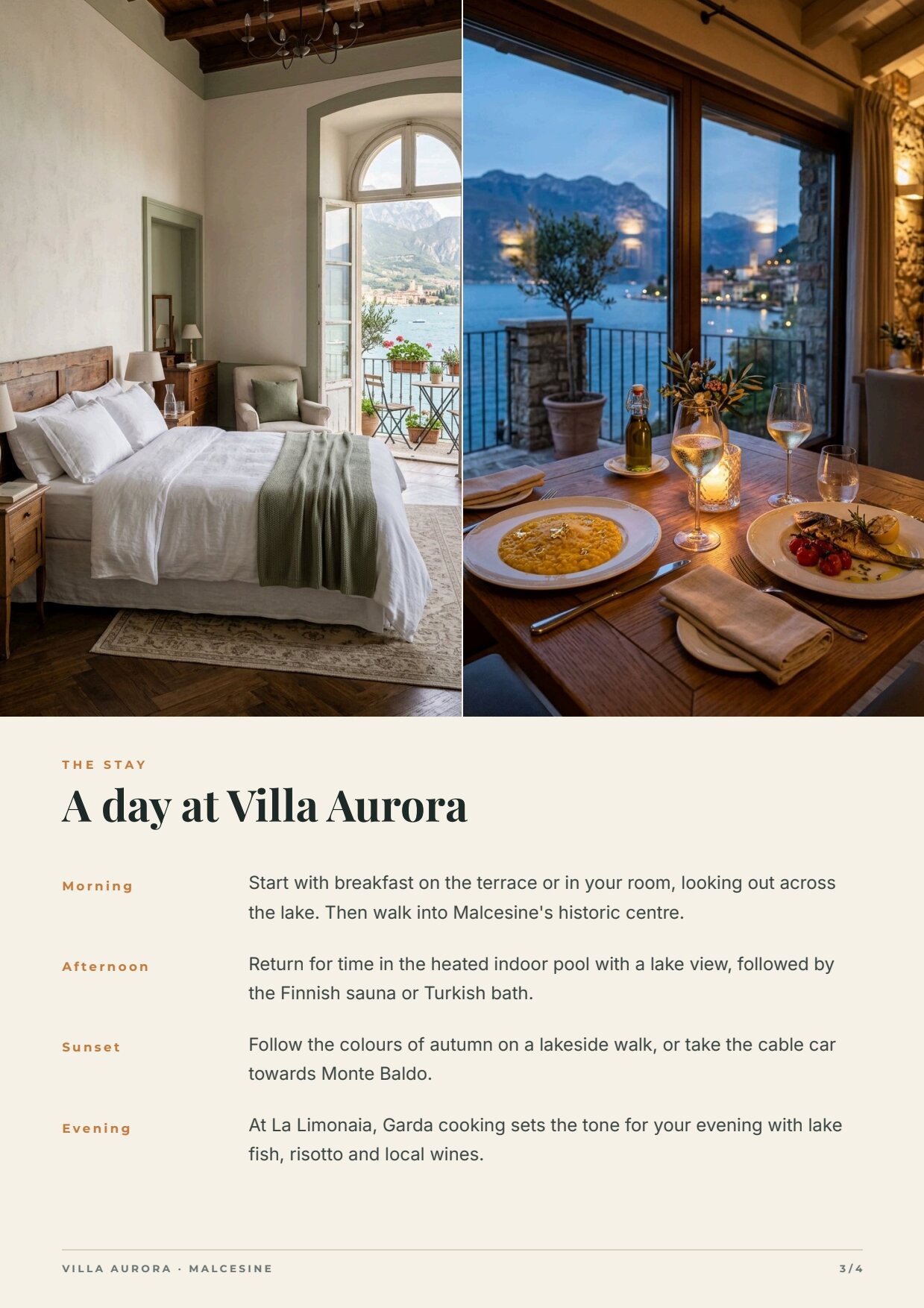
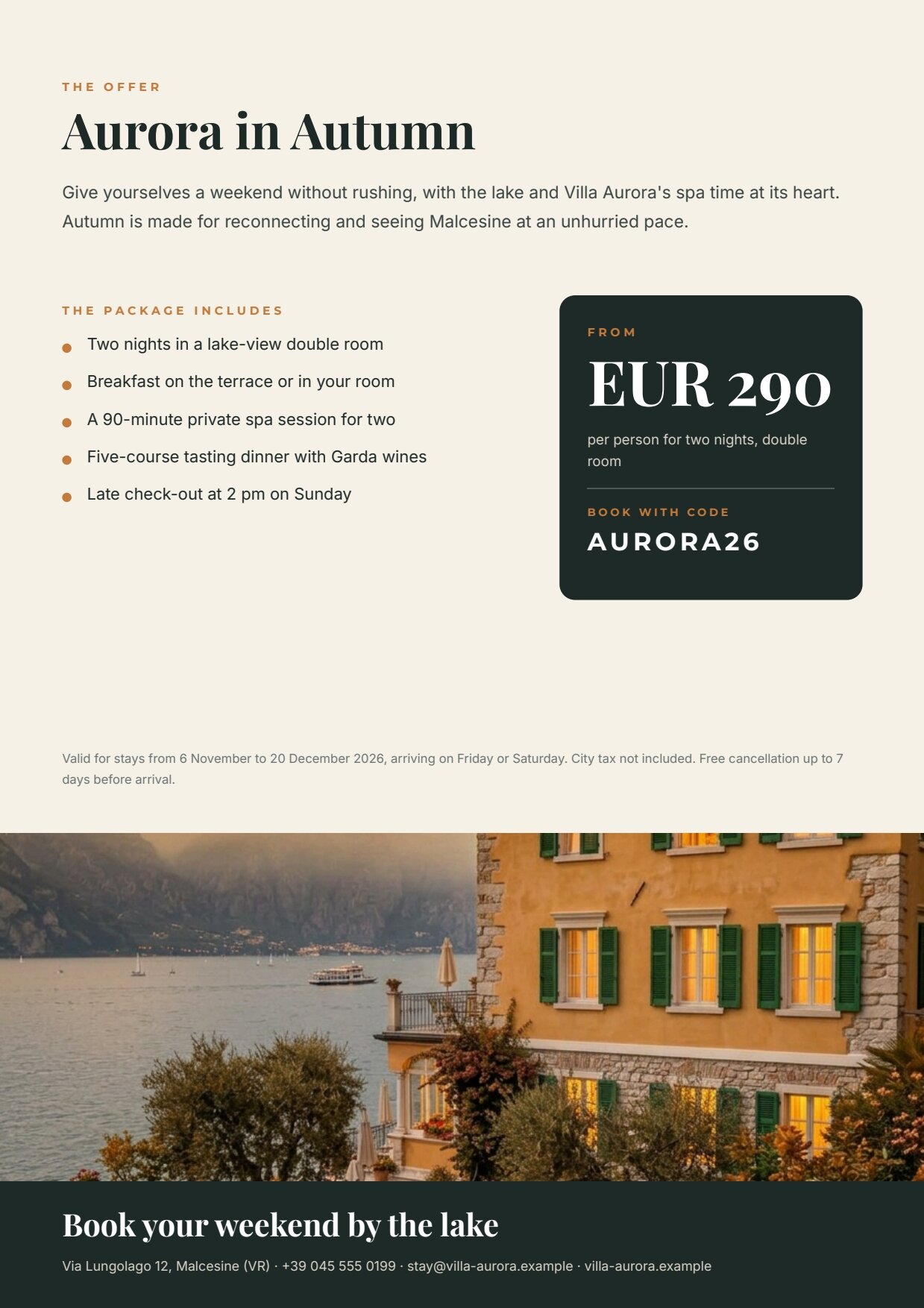
The case
Section titled “The case”Make more of the content a hotel already has, to build campaigns aimed at specific audiences and periods of the year, in several languages. Villa Aurora (fictional), a boutique hotel in Malcesine on Lake Garda, launches wellness weekends in November and December for young couples.
| Input | Who provides it | In the workflow |
|---|---|---|
| Hotel facts | the management, once | Hotel facts (text) |
| Audience | marketing, for each campaign | Audience (text) |
| Period | marketing, for each campaign | Period (text) |
| Hotel photos | the hotel’s library (shot in summer) | four input/image: exterior, spa, room, restaurant |
| The offer, in both languages | the revenue manager | Verified offer (IT/EN) (JSON): package name, what it includes, conditions, labels |
| Price, code, contact | the revenue manager | Price per person (EUR) (number), Booking code, Contact |
What it shows
Section titled “What it shows”- Two languages from one template. The template holds no text in any language: even the labels (THE OFFER, THE PACKAGE INCLUDES, FROM) are fields. The same template produces the Italian and the English version from different data. Adding German means adding a language to the offer and to the schema, not a template.
- Two data sources, kept apart. Each render receives two objects: the copy written by the AI (
data_0) and the offer verified by the hotel (data_1). The AI never sees prices, package contents or conditions and cannot rewrite them; the offer passes through no model. See Templates in workflows. - Make more of what exists. The photos are the hotel’s own. Only the facade is adapted to the season by an image editing model, told explicitly not to change the building, its architecture, colours or framing — the same villa on a late-autumn evening (before → after).
- One AI call for all the copy. One model writes Italian and English together, plus the instruction for the photo edit: the two versions stay consistent and the schema checks them in one pass. The English is written for international guests, not translated word for word.
- Ready for print. The render produces PDF/X-4 with the workspace’s print colour profile (FOGRA39), as a printer expects, together with the page images for website, email and social. See Print-ready PDF.
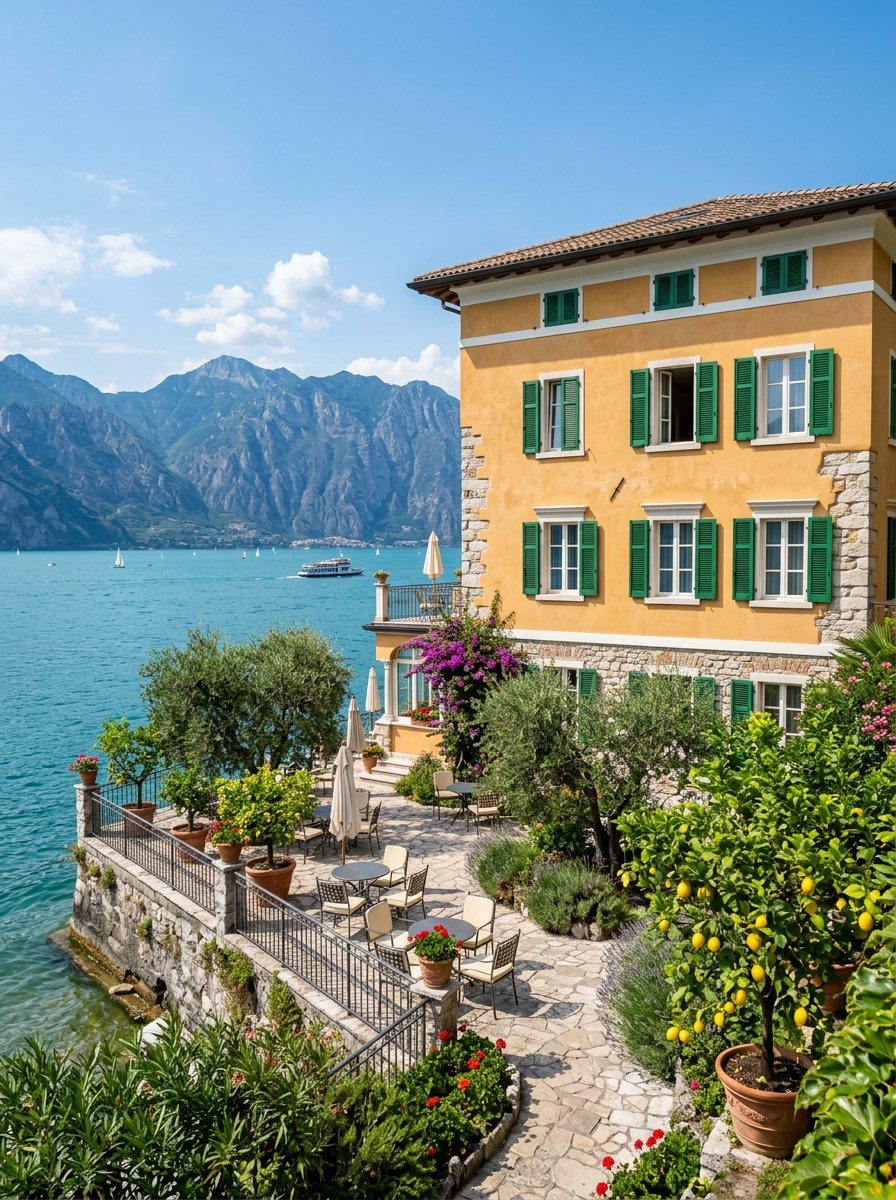
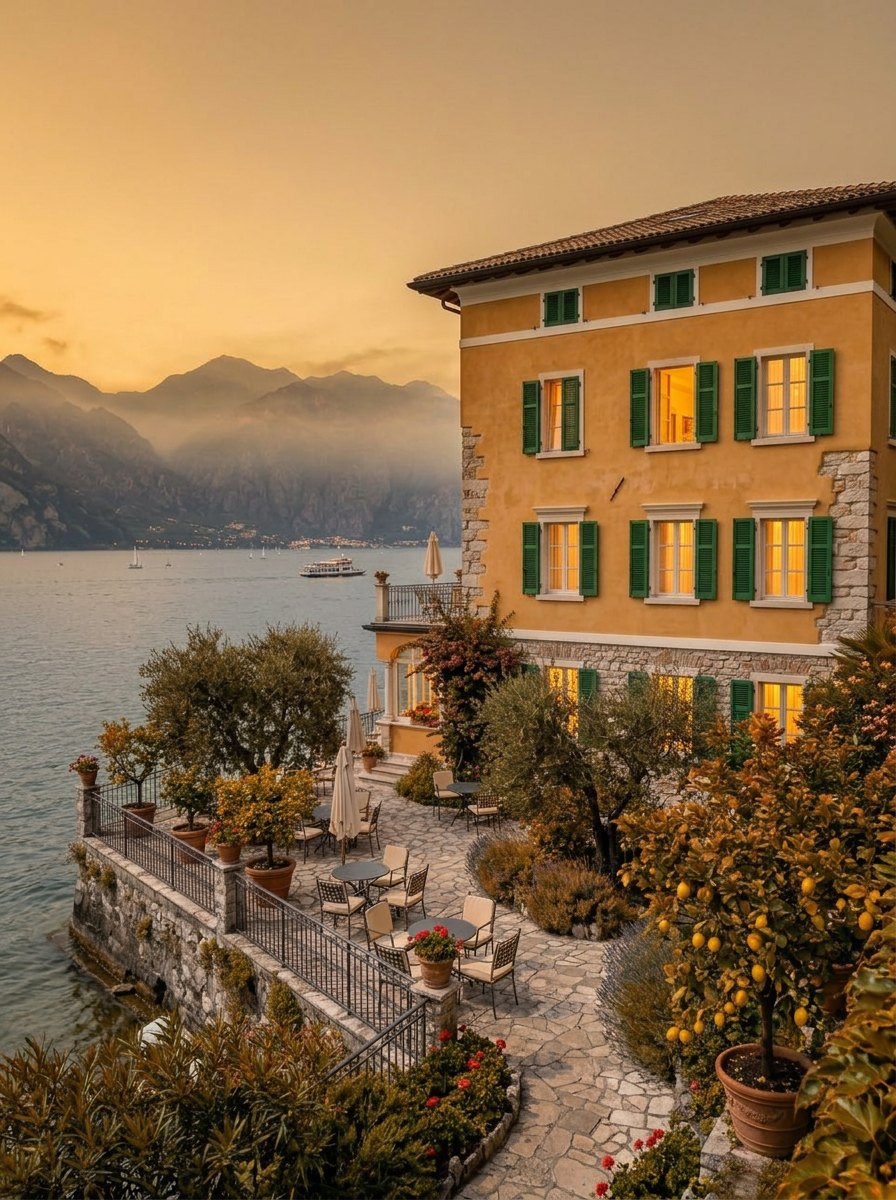
The template
Section titled “The template”Four A4 pages; Playfair Display for titles, Montserrat for labels, Inter for text; ink #1e2a28, ivory #f6f1e7,
ochre #c47a3a.
| Page | Content | How it is built |
|---|---|---|
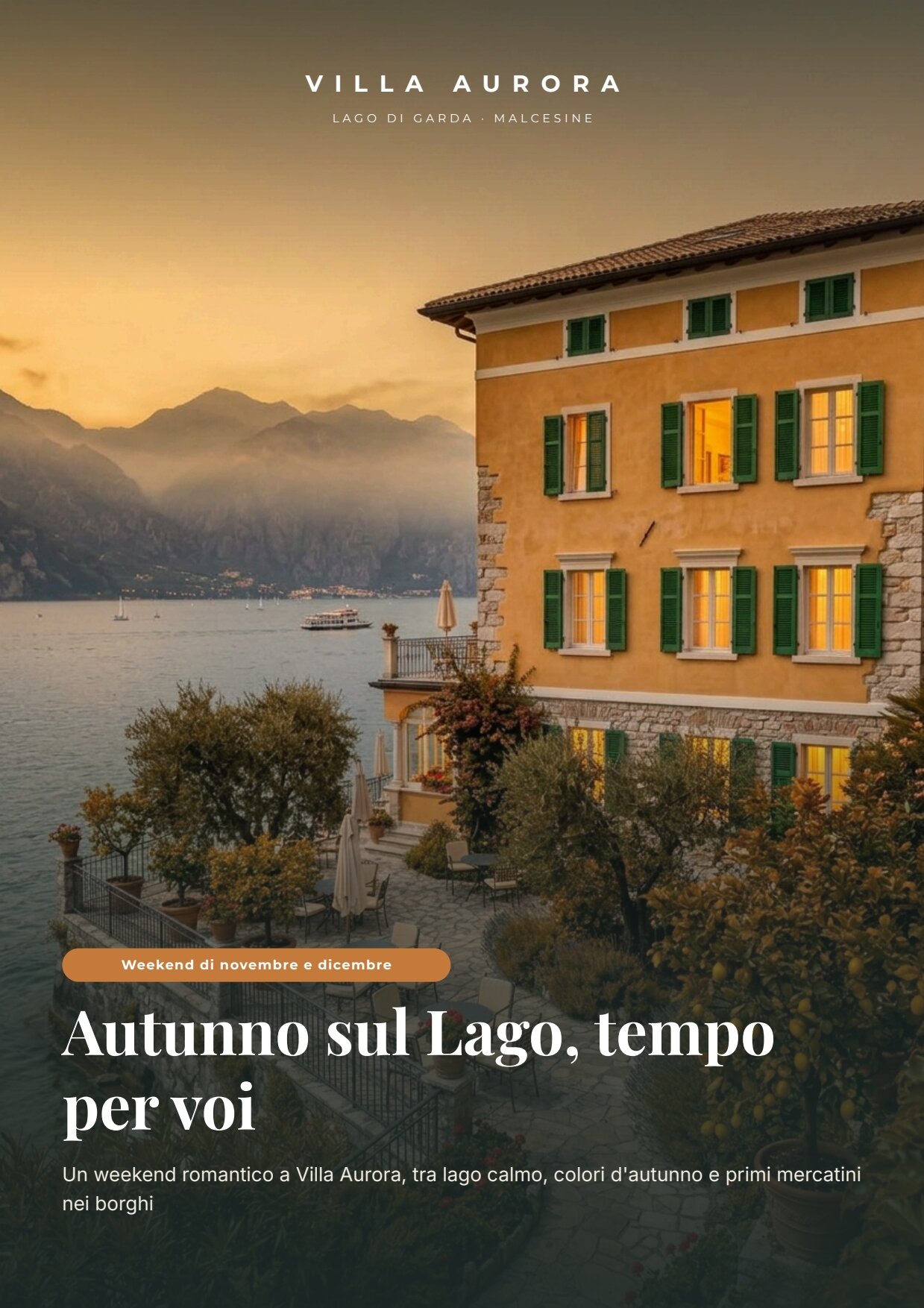
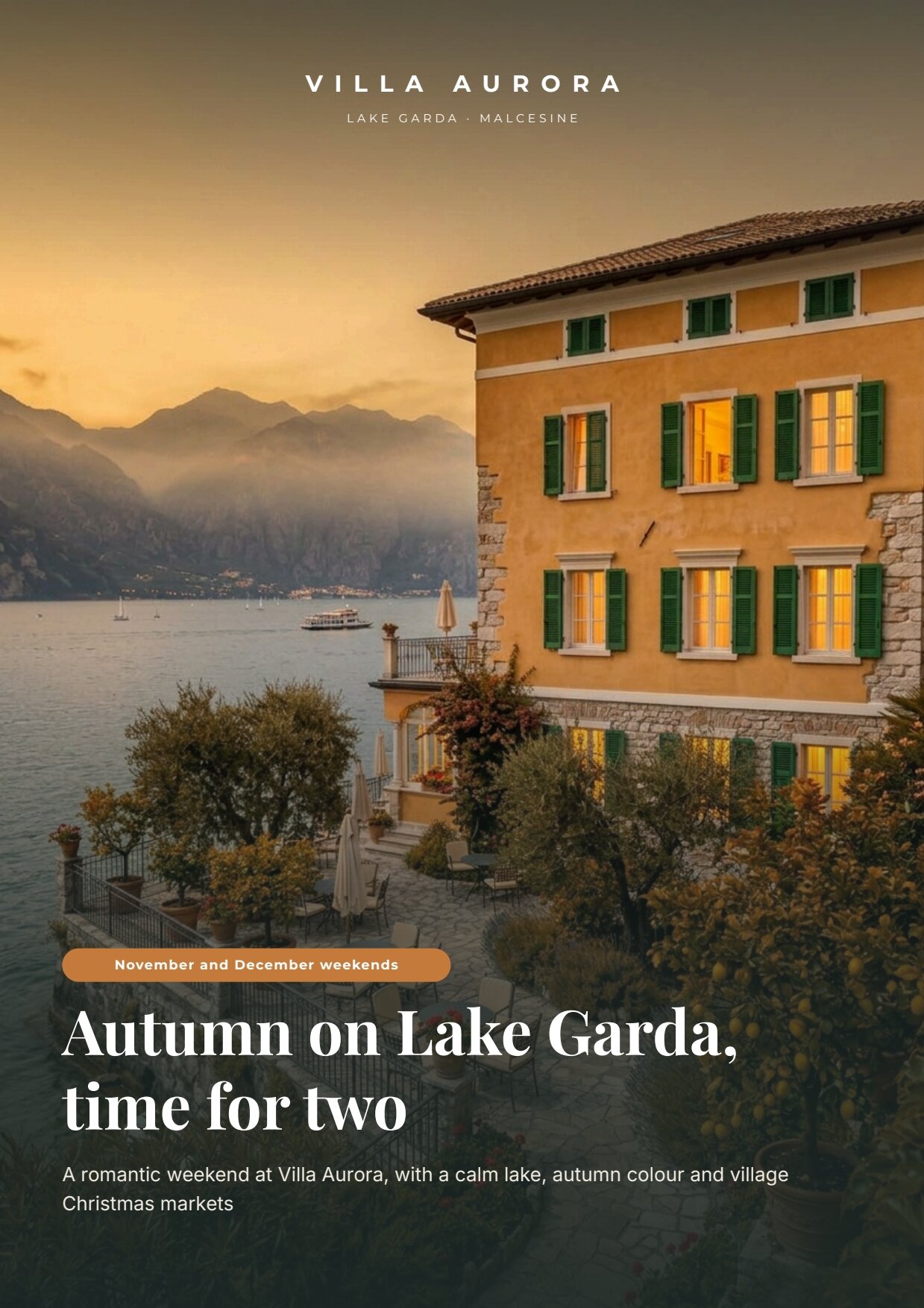
| 1 — Cover | full-page photo, brand, place, period, title, subtitle | one Layout the size of the page: the photo (cover_image, fill) and a graded veil are its background layers; pill, title (one or two lines) and subtitle flow anchored at the bottom (alignment end). The ochre pill is itself a small Layout with a rounded background |
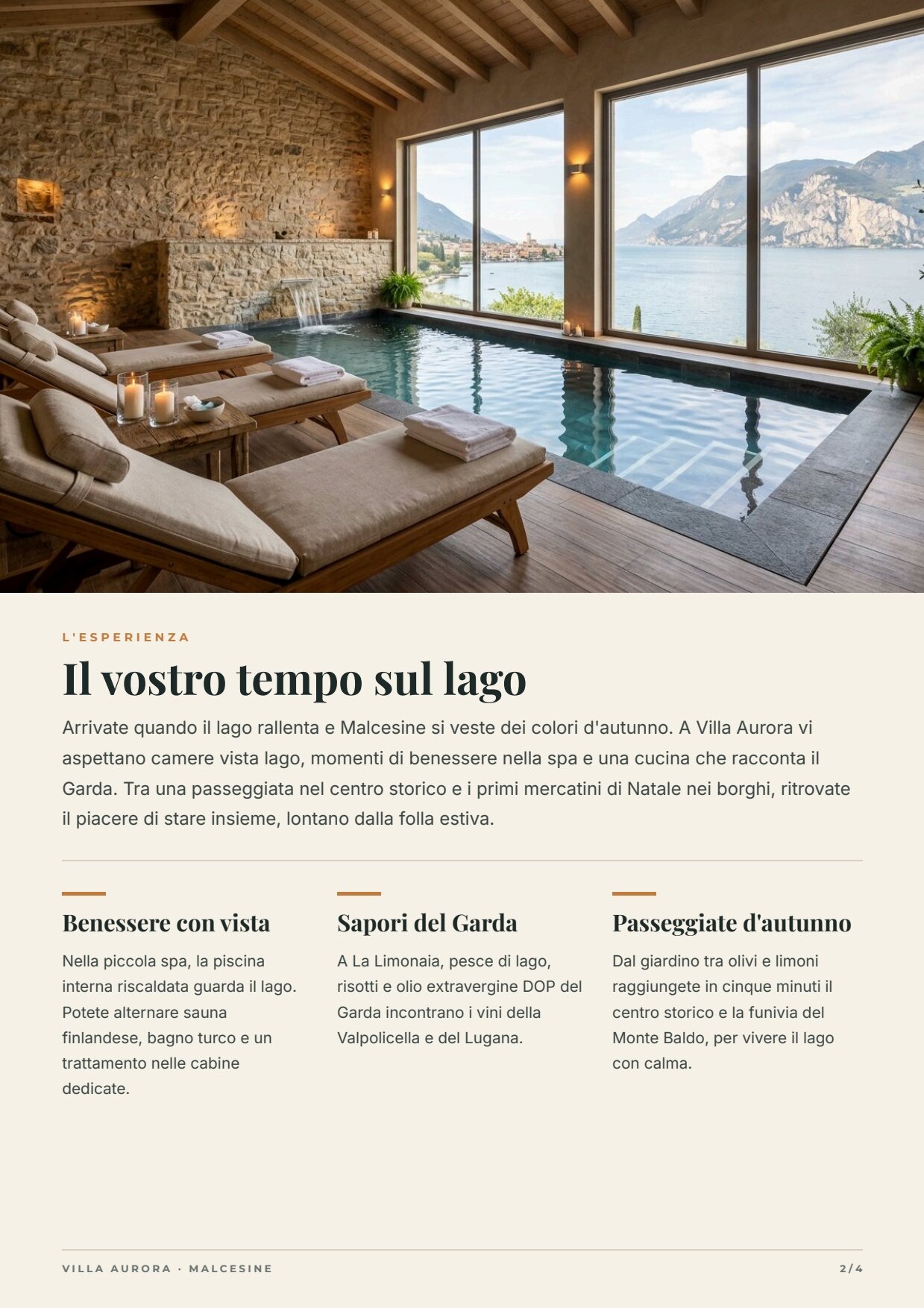
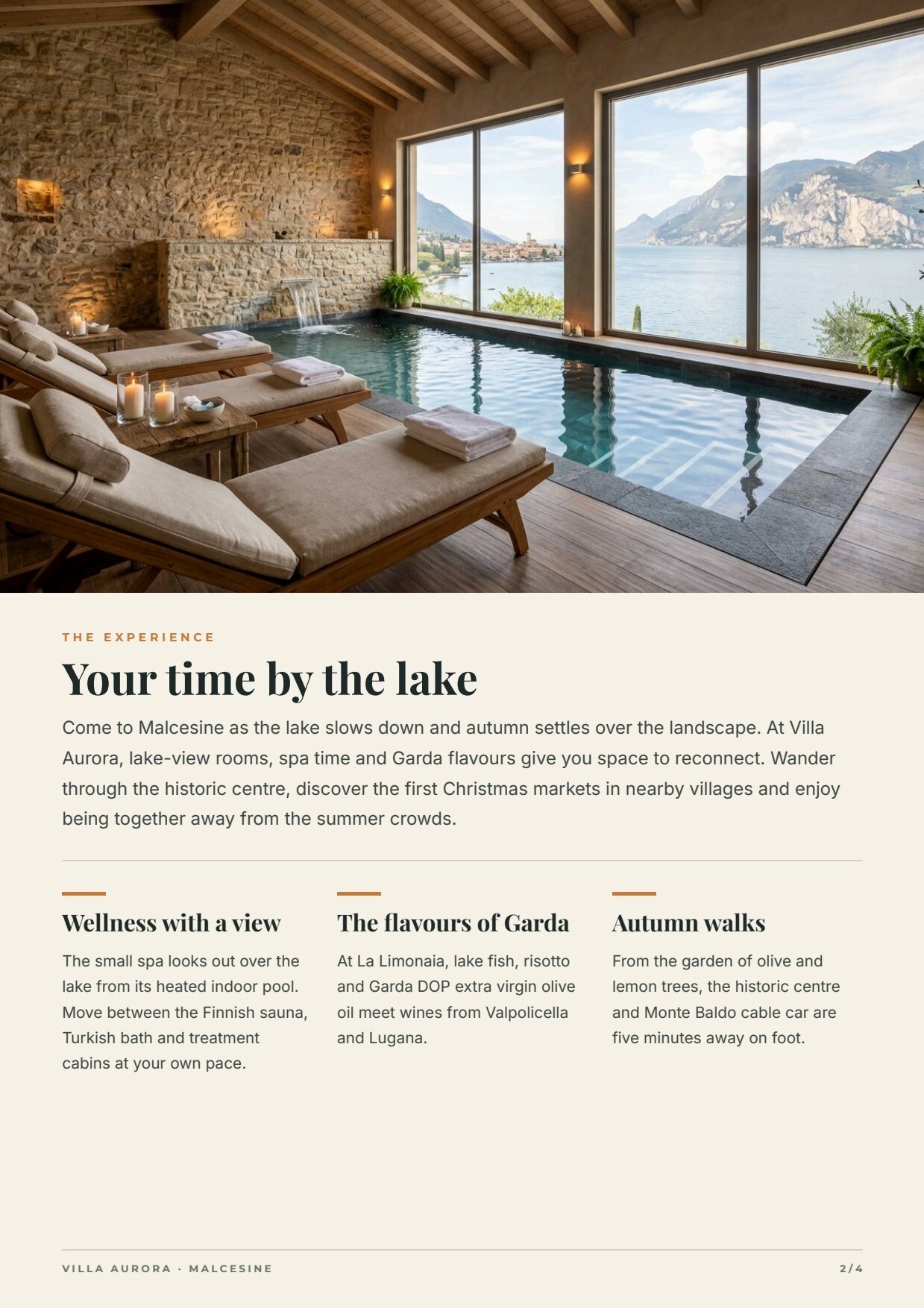
| 2 — The experience | spa photo, title, introduction, three highlights | a flowing Layout: section, title and introduction, rule, then the horizontal repeat highlights (3 columns { title, text }); each column is a Layout (bar, title on one or two lines, text) |
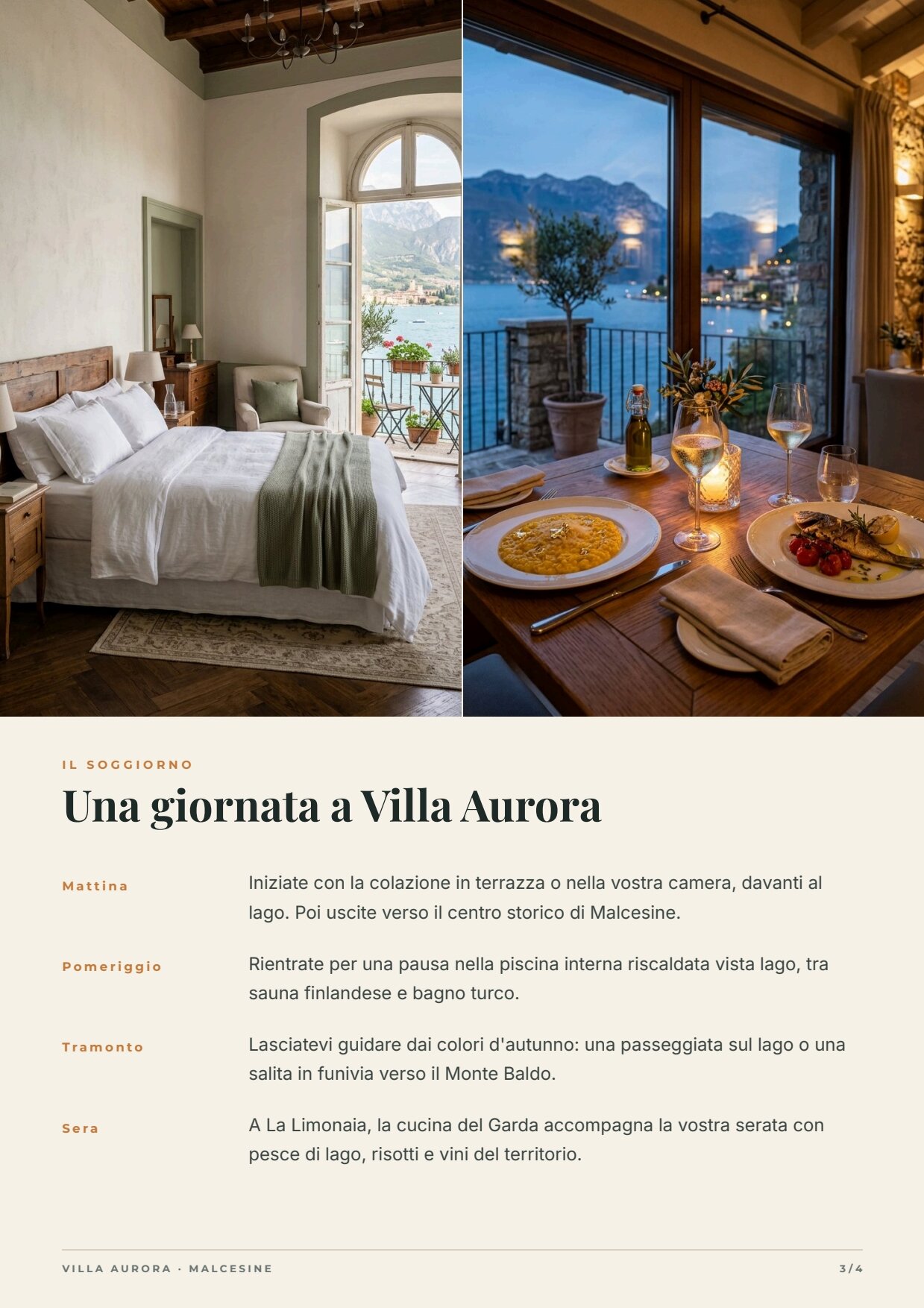
| 3 — The stay | room and restaurant photos side by side, “a day” in four moments | vertical repeat day, rows that grow with the text (up to 3 lines) |
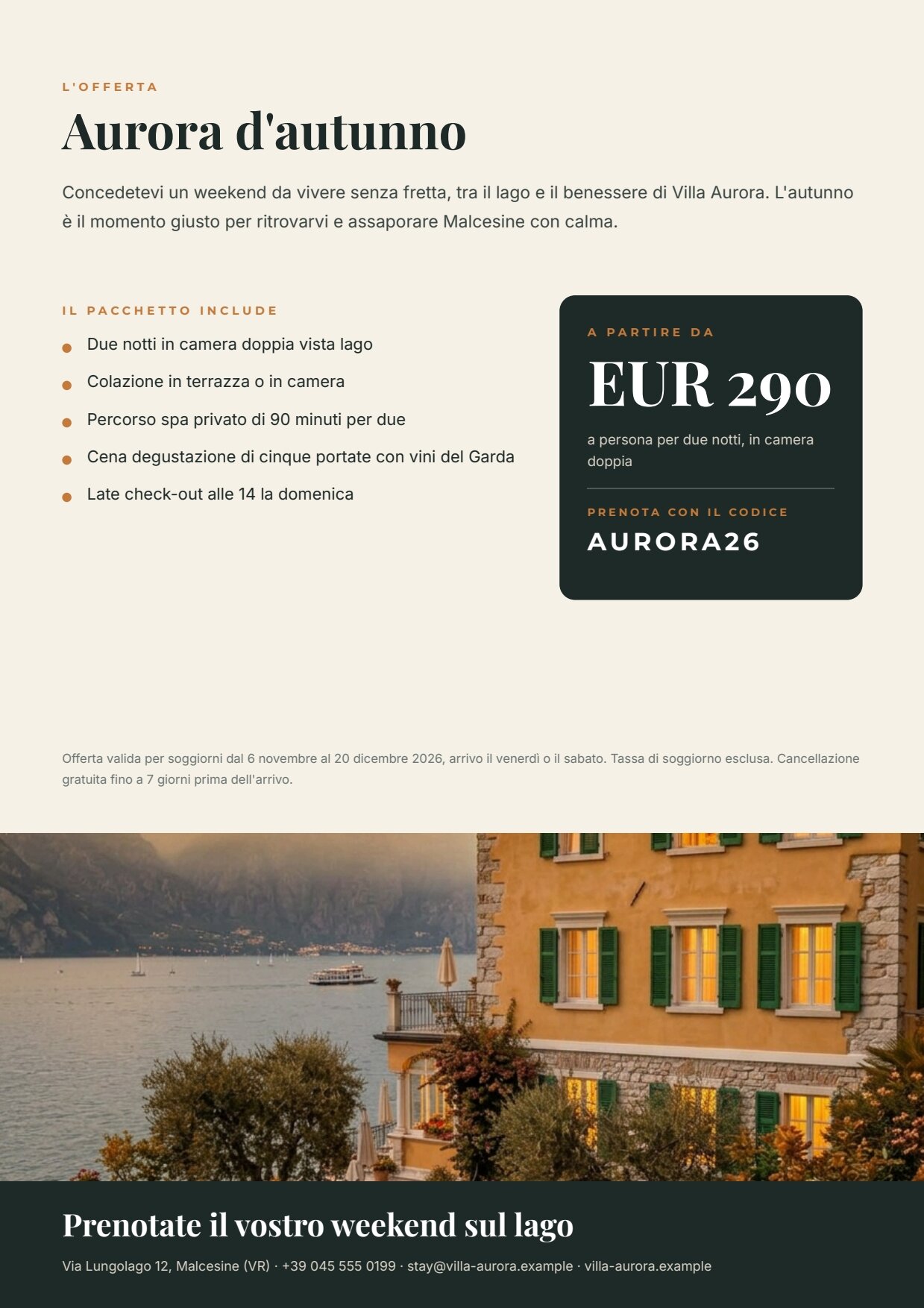
| 4 — The offer | package name, introduction, what it includes, price, code, conditions, villa photo, call to action and contact | repeat includes (rows that grow), a price card with a number field in EUR, strip_image (the autumn facade again) |
| Fields | Come from |
|---|---|
cover_title, cover_subtitle, experience_title, experience_intro, highlights[], stay_title, day[], offer_intro, cta |
the AI copy of the language, validated (data_0) |
place_label, season_label, the three section labels, package_name, includes_label, includes[], price_label, price_note, booking_label, conditions |
the verified offer of the language (data_1) |
the four photos, strip_image, price, booking_code, contact |
the field ports |
Design choices worth copying:
- Flow where length changes. AI copy changes length with every run and between languages (“La spa vista lago” against “Wellness with a view”). Where it matters, texts sit in Layouts that follow their content: the cover block is anchored at the bottom, so a two-line title pushes the pill up instead of covering the subtitle; on page 2 a short introduction leaves no gap before the highlights. Every text has a line limit (cover title 2, then shrink; introduction 7) that protects the page from unexpected copy. See Flowing layouts.
- A master page for the inner pages. Pages 2 and 3 use the master Inner pages: a rule, “VILLA AURORA · MALCESINE”
and the page number (
page_document_slash, “2 / 4”). Cover and offer do not (masterAssignment: none), since they have their own layout. See Multi-page documents. - Two sample sets, Italiano and English, with light embedded photos: the editor shows both versions and publishing checks that both render.
The workflow
Section titled “The workflow”Hotel facts, Audience, Period ──► Compose the brief ──► Write the copy (IT/EN) ──► Copy fits the brochure ├─► Italian copy ──data_0──► Compose the Italian brochure ──► Brochure IT, Pages IT ├─► English copy ──data_0──► Compose the English brochure ──► Brochure EN, Pages EN └─► Season edit ──► Bring the facade into the seasonPhoto — exterior ─────────────────────────────────────────────────────────────────────────────────────► (edits this photo)Bring the facade into the season ──cover_image, strip_image──► both rendersVerified offer (IT/EN) ──► Italian offer ──data_1──► Compose the Italian brochure └─► English offer ──data_1──► Compose the English brochurePhotos — spa, room, restaurant · Price · Booking code · Contact ──field ports──► both renders| Node | Type | Why |
|---|---|---|
| Hotel facts, Audience, Period | input/text |
Three separate inputs: an app or an agent fills them from a form, and marketing changes audience and period without touching the hotel’s facts |
| Compose the brief | text/template |
Joins the three texts into one labelled prompt; each [placeholder] of the template is an input port. The node for composing a prompt from several sources |
| Write the copy (IT/EN) | ai/text_generation, response_format: json_object, temperature 0.5 |
One call writes both languages and the photo instruction. The rules (hotel facts only, no prices or dates, plural address, no clichés, lengths) are in the system prompt |
| Copy fits the brochure | utility/json_schema_validate, inline schema, mode fail |
The same copy block is required for it and en: exactly 3 highlights and 4 moments of the day, maximum lengths, no extra fields |
| Italian copy, English copy, Season edit | utility/extract |
Take each language’s part out of the validated JSON (as an object) and the photo prompt (as text) |
| Italian offer, English offer | utility/extract |
Take each language’s part out of the bilingual offer, unchanged |
| Bring the facade into the season | ai/image_transform, aspect_ratio: match_input |
Edits the summer photo of the facade following the AI’s instruction and keeps its format; default model |
| Compose the Italian / English brochure | design/template_render, output both, pdf_export_mode: pdfx4, FOGRA39 profile |
Same template and revision. data_0 is the AI copy of the language, data_1 its offer; the field ports carry photos, price, code and contact. Both on four pages gives the PDF and the page manifest (one image per page) |
| Outputs | output/pdf ×2, output/json ×3, output/image |
Print brochures IT and EN, page manifests IT and EN, the approved copy, the reusable autumn photo |
Reading a run: Approved copy (IT/EN) is what the AI wrote, both languages together; Pages IT and Pages EN list one image per page. If the copy is too long, the run stops on Copy fits the brochure before anything is rendered or painted.
Cost: about 5.2 credits per run (the estimate before running shows 6) — the copy in two languages about 0.9, the autumn facade 5; validation, extractions and the two PDF/X-4 renders are free. A run takes about a minute; each print PDF weighs about 3.8 MB, with images at full resolution.
Install it
Section titled “Install it”The example installs into your workspace with an API key, through the public API only — see Installing an example:
node madoo-install-example.mjs f02 --api <your Madoo API URL> --key <key.json>It uploads the four hotel photos, publishes the template and the workflow. It uses the workspace’s FOGRA39 print
profile; without one, the workflow renders standard PDF instead of PDF/X-4 and the installer says so. To run it, open
the workflow and paste the offer from run-inputs.json into
Verified offer (IT/EN) — every other input has a value — or add --run (about 5 credits).
Change it
Section titled “Change it”- Another audience or period: change Audience and Period (for example “families, Easter”). Update the offer by hand: it is verified, the AI does not write it.
- Another language: add the language to the offer, to the schema (
denext toitanden), to the system prompt, and one more render. The template does not change. - Digital only: in both renders set
pdf_export_mode: standardand remove the colour profile.
manifest · template · workflow · run inputs · summer photo