

F04 — Visual summary of a book
A reading app sends Madoo the summary of a book; Madoo returns a page to look at and remember, as a PDF and as an image: the idea in one sentence, the thread of the argument in three steps, four to six key ideas, three things to try and the author’s own words, with an illustration drawn by the AI and the facts of the work printed exactly as they are.
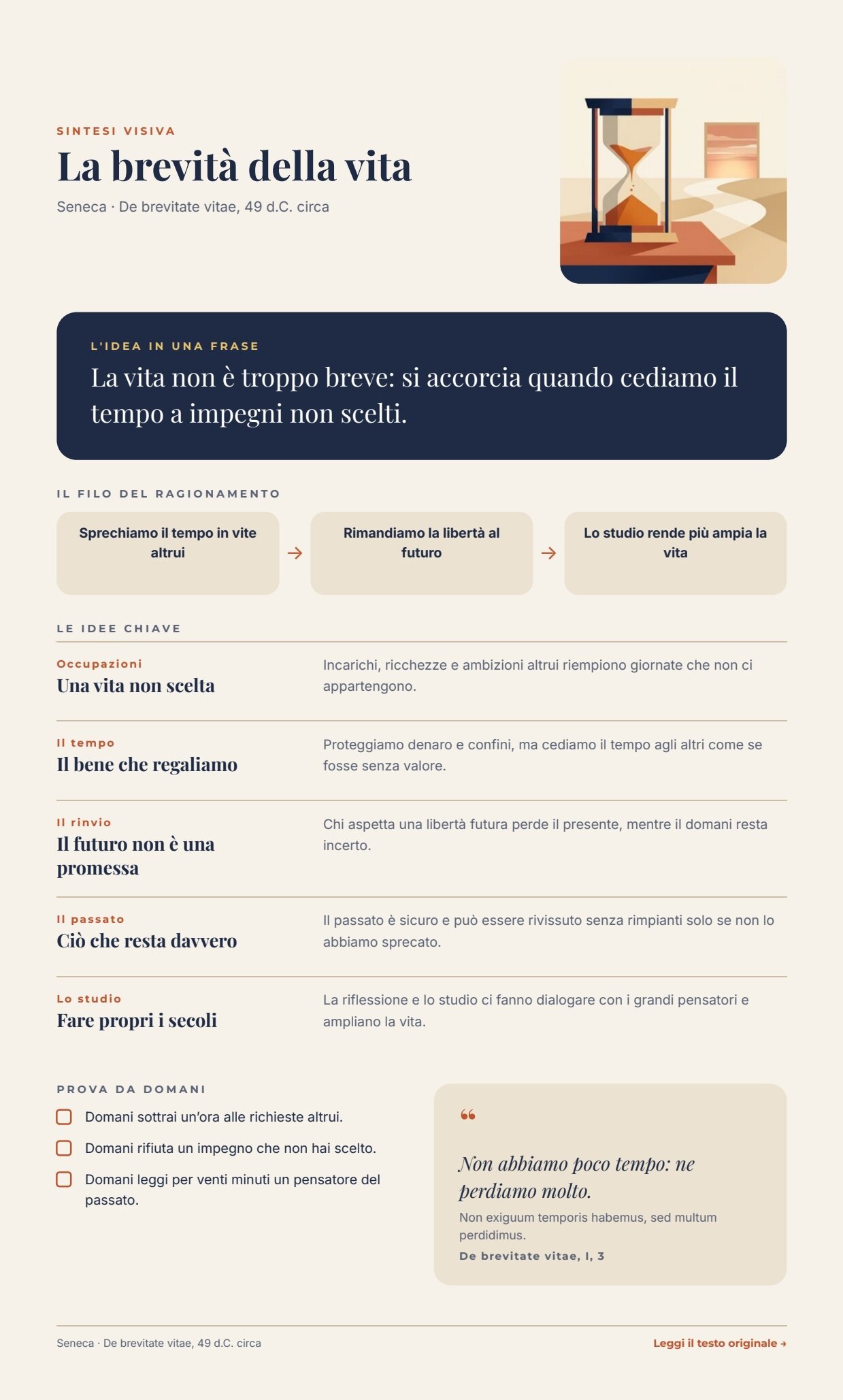
A reference run: 47 seconds, 5.14 credits; the page is 989 pt tall (at most 1160) because it follows its content. PDF — clickable: Leggi il testo originale opens the work · the AI structure · illustration · layout report.

The variant with one image per idea is F04B — Illustrated summary.
The case
Section titled “The case”Book → summary → visual summary. The visual summary replaces neither the book nor the summary: it helps to see its structure and remember it. The case belongs to publishing and education, but the same scheme works for an article, an internal report or a lecture.
The example uses La brevità della vita (De brevitate vitae) by Seneca, a public-domain text. The summary is written for the example; the Latin quotation is taken word for word from The Latin Library, which is also the link printed on the page. Wikisource gives the same sentence with perdimus instead of perdidimus: exactly the kind of detail that must come from a source chosen by a person, not from a model.
| Input | Who provides it | In the workflow |
|---|---|---|
| Book summary | the reading app (or the editors) | Book summary (text, with a default value) |
| Facts of the work | the app’s catalogue: title, author and date, quotation with translation and reference, link to the original | Facts of the work (one JSON object) |
What it shows
Section titled “What it shows”- The facts of the work do not pass through the AI. Title, author, date, quotation (original, translation and
reference) and link reach the template as a second data object, next to the one written by the AI. The render merges
them in order: first
data_0(the AI), thendata_1(the facts). For a key present in both, the fact wins: even if the model wrote a title, the catalogue’s one would be printed. The instructions also forbid the model to quote the author. See Templates in workflows. - The structure is a contract. The model returns JSON with the idea in one sentence, three steps, four to six key
ideas (theme, title, explanation) and three actions;
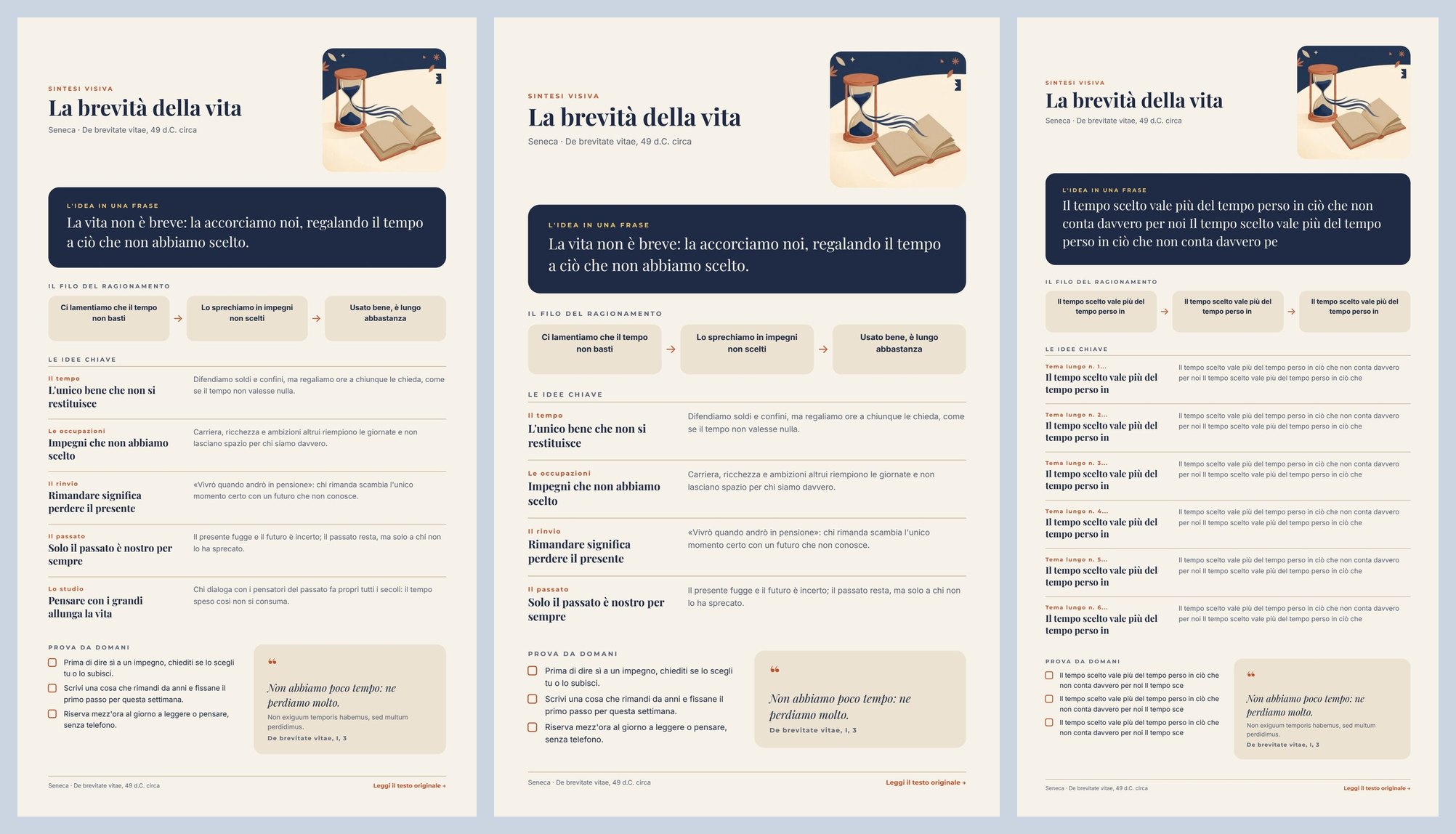
utility/json_schema_validatechecks the fields, the number of items and the lengths, computed from the space on the page. Output that does not fit stops the workflow before composing. See Make the AI write for the page. - The page is one flow. Each block takes the lines it needs, and the list of key ideas takes the height of the rows it prints: with four ideas Prova da domani moves up, with six it moves down. A variable list sits in the middle of the page with more content below it. See Flowing layouts.
The template
Section titled “The template”595 pt wide and up to 1160 pt tall: the page follows its content and ends 36 pt below the footer, so with four ideas
it is shorter than with six (Pages that grow with their content).
Designed for the screen; Playfair Display for titles and the quotation, Montserrat for labels, Inter for text; night
blue #1f2a44, paper #f6f2ea, terracotta #c2542d, sand #ebe2d1, gold #e9c46a. The fixed labels of the page are
in Italian.
| Area | Content | How it is built |
|---|---|---|
| Header | Sintesi visiva, title, author and date; illustration | a horizontal Layout: on the left a vertical Layout of texts (title up to 2 lines, then shrunk), on the right the illustration as the background of a 160 × 160 Layout with rounded corners |
| The idea in one sentence | big_idea |
a Layout with a night-blue background and rounded corners; text up to 3 lines |
| The thread of the argument | step_1, step_2, step_3 |
three equal boxes (each text drawn for three lines, at least the drawn height) joined by arrows |
| The key ideas | key_ideas: 4 to 6 { tag, title, text } |
a repeat inside the page Layout, drawn for six ideas at most; each row is a rule and a horizontal Layout: theme and title (2 lines) on the left, explanation (3 lines) on the right (Lists) |
| Prova da domani | actions: 3 { text } |
a repeat of rows with a check box |
| Quotation | quote_translation, quote_original (optional), quote_source |
a sand Layout; the Latin shows only when present (a condition) |
| Footer | author and date; Leggi il testo originale → | the last block of the flow (drawn at the bottom of the page it would keep the page long); the link reads the field source_url; when it is missing, text and link disappear |
| Field | Type | Required | Comes from |
|---|---|---|---|
big_idea, step_1, step_2, step_3 |
text | yes | the AI’s JSON, validated (data_0) |
key_ideas, actions |
lists | yes | the AI’s JSON, validated (data_0) |
title, byline, quote_translation, quote_source |
text | yes | Facts of the work (data_1) |
quote_original, source_url |
text | no | Facts of the work (data_1) |
illustration |
image | yes | the generated illustration (its own port) |
Design choices worth copying:
- A theme instead of a number. Repeat rows do not know their position; instead of having the model write “01, 02…”, each idea has a theme of one or two words, which says more.
- The steps have the same height. Each text in the three boxes is drawn for three lines with the rule at least the drawn height: the boxes stay aligned whatever the length of the sentences.
- The schema limits come from the page. Ideas: title up to 44 characters (two lines), explanation up to 130 (three lines); the idea in one sentence up to 150 (three lines).
- The instructions ask for less than the schema accepts. About 10% less (38 characters for the steps, 44 in the schema): a model that overshoots by a few characters stays on the page instead of stopping the run. Without this margin a run stopped on the third step (step_3 [maxLength]: Value should be at most 44 characters) — the contract did its job, but it should happen rarely.
- Three sample sets — Seneca, cinque idee, Quattro idee, senza latino and Il più lungo possibile (every text at the schema’s limit, six ideas): the last proves that even the worst case fits the page — about 940 pt with four ideas, 1036 with five, 1129 in the longest case (five ideas, four without Latin, the longest case).
The workflow
Section titled “The workflow”Book summary ──► Build the visual summary (AI, JSON) ──► Summary fits the page (JSON Schema) ──data_0──► Compose the page ──► Visual summary — PDF └─► Illustration prompt ──► Draw the illustration ──illustration──► (Render ──► Visual summary — imageFacts of the work ──data_1──► Document ──► Layout report Template)| Node | Type | Why |
|---|---|---|
| Book summary | input/text |
The summary, as the app has it |
| Facts of the work | input/json_value |
One object with the verified facts: an app fills it from its catalogue, without six separate inputs |
| Build the visual summary | ai/text_generation, response_format: json_object, temperature 0.4 |
Finds structure and ideas; the rules forbid invented facts, quotations and repetition between sections |
| Summary fits the page | utility/json_schema_validate, inline schema, mode fail |
Fields, number of ideas and actions, lengths: the template must not hope that the text fits |
| Illustration prompt | utility/extract |
Takes the illustration instruction out of the JSON as text |
| Draw the illustration | ai/text_to_image, 1_1 |
A square illustration in the page’s palette, without text |
| Compose the page | design/template_render, output both, max_repeat: 6 |
data_0 the AI structure, data_1 the facts (they win), the illustration on its port |
| Outputs | output/pdf, output/image ×2, output/json ×2 |
PDF and image of the page, the reusable illustration, the approved structure, the layout report |
Reading a run: Approved summary is the structure the AI wrote; the Layout report shows status: passed,
repeatItems: 8 (five ideas and three actions), two images loaded, no warnings. If the structure does not fit, the run
stops on Summary fits the page with every violation, before the illustration is paid for.
Cost: about 5.14 credits per run — the structure about 0.14, the illustration 5; validation, extraction and composition are free.
Install it
Section titled “Install it”The example installs into your workspace with an API key, through the public API only — see Installing an example:
node madoo-install-example.mjs f04 --api <your Madoo API URL> --key <key.json>It has no files to upload: it publishes the template and the workflow. To run it, open the workflow and paste the
object from run-inputs.json into Facts of the work, or add
--run (about 5 credits).
Change it
Section titled “Change it”- Another book: change the summary and the facts of the work (title, author, quotation, reference, link). For a
modern work with no different original language, leave out
quote_original. - Another kind of text: an article, a report, a transcribed lecture — the instructions speak of “a book or an essay”, but the structure (idea, steps, ideas, actions) holds.
- Another language: the model writes in the language of the summary; the fixed labels of the page (Sintesi visiva, Le idee chiave…) are in Italian in the template, so translate them in a copy of the template.
manifest · template · workflow · run inputs · sample sets preview